Organizations rely on wired and wireless networks to keep devices, systems, and applications connected and communicating. But a network that performs reliably today may not perform the same way months or years from now.
No matter how well a wireless network is planned or how meticulously it is deployed, as infrastructure, technology, and operating environments change, network performance can change with them. Understanding network drift can help organizations recognize these changes and address potential issues before they become larger performance problems.
In this article, we’ll provide an overview of network drift, its symptoms and causes, and ways to prevent it from disrupting your operations.
What is network drift?
Network drift is the gradual accumulation of changes and problems that causes a network to perform differently—usually worse—than it did when it was originally designed and tested.
The tricky thing about network drift is that it usually doesn't announce itself as one obvious failure. The symptoms tend to appear gradually, intermittently, or only under certain operating conditions.
What are signs of network drift?
The clearest symptom of network drift is often a measurable difference between how the network performs today and how it performed when it was known to be healthy. Common signs that network drift has occurred include:
|
SYMPTOM |
WHAT IT LOOKS LIKE |
|
Slower network performance |
Applications, video streams, file transfers, or other network services take longer than they used to. |
|
Intermittent connectivity |
Devices occasionally disconnect, reconnect, or become unreachable without an obvious cause. |
|
Increasing latency or packet loss |
Data takes longer to reach its destination, or packets have to be retransmitted or are lost entirely. |
|
Wireless coverage problems |
Areas that previously had reliable connectivity develop weak signals, dead spots, or inconsistent performance. |
|
Reduced throughput or capacity |
The network works normally with light traffic but struggles when more users, devices, cameras, or applications are active. |
|
Unexplained application problems |
Video freezes, voice communications become choppy, applications time out, or connected equipment responds inconsistently. |
|
More frequent alarms or network events |
Monitoring systems report increasing numbers of warnings, interface errors, link changes, or device failures. |
|
Unexpected routing or topology behavior |
Traffic may take less-efficient paths because nodes have moved, links have weakened, or interference has changed, particularly in a mesh network. |
|
Configuration inconsistencies |
Switches, access points, radios, VLANs, firmware versions, security policies, or other components no longer match the organization's intended configuration. |
|
A growing number of "small fixes" |
Administrators increasingly reboot equipment, relocate devices, change settings, or troubleshoot recurring problems without identifying one major failure. |
What causes network drift?
In short, the causes of network drift are cumulative changes to the original network design.
It’s important to note that for this article, we’re using “network drift” as an umbrella concept for gradual deterioration caused by accumulated environmental and operational changes. These changes might include:
- Configuration drift
- Infrastructure drift
- Changing RF conditions
- Capacity growth
- Topology changes
- Network performance degradation
Think of network drift like a building that was perfectly organized on opening day. Over the years, people move furniture, add equipment, plug things into different outlets, remodel rooms, and make temporary fixes. No single change necessarily causes a major problem. But eventually, the building no longer operates quite the way it was originally designed.
A network can experience the same thing. When it is first designed and deployed, engineers will carefully establish wireless coverage, device locations, configurations, VLANs, routing, bandwidth, and more.
Then real life happens:
- Devices get moved or replaced
- Configurations are changed
- New applications consume bandwidth
- Switches and VLANs are modified
- Wireless interference changes
- Firmware and software are updated
- Equipment ages
- New devices are added
- Temporary fixes become permanent
- And the list goes on…
Each change might be harmless by itself, but the cumulative effect of those changes gradually moves the network away from its known, properly functioning state.
An example of network drift
Imagine a wireless network at a large manufacturing facility. When BAYCOM installs it, it works as intended and coverage and performance are excellent. Six months later, a wireless node gets relocated because equipment was moved. Later, someone adds video security cameras or a new access control system that increases network traffic. A switch configuration gets changed during another project. Then a new piece of machinery creates RF interference.
Nothing necessarily "breaks" the network. But eventually users start reporting intermittent video, slow connections, or devices dropping offline. The network has effectively drifted away from the conditions under which it originally performed well.
How do you prevent network drift?
Network drift cannot always be avoided entirely. Networks and the environments they operate in naturally change over time. However, regular monitoring, documentation, and maintenance can help identify those changes before they significantly affect performance.
The following six steps can help to mitigate network drift and keep your systems operating at peak performance.
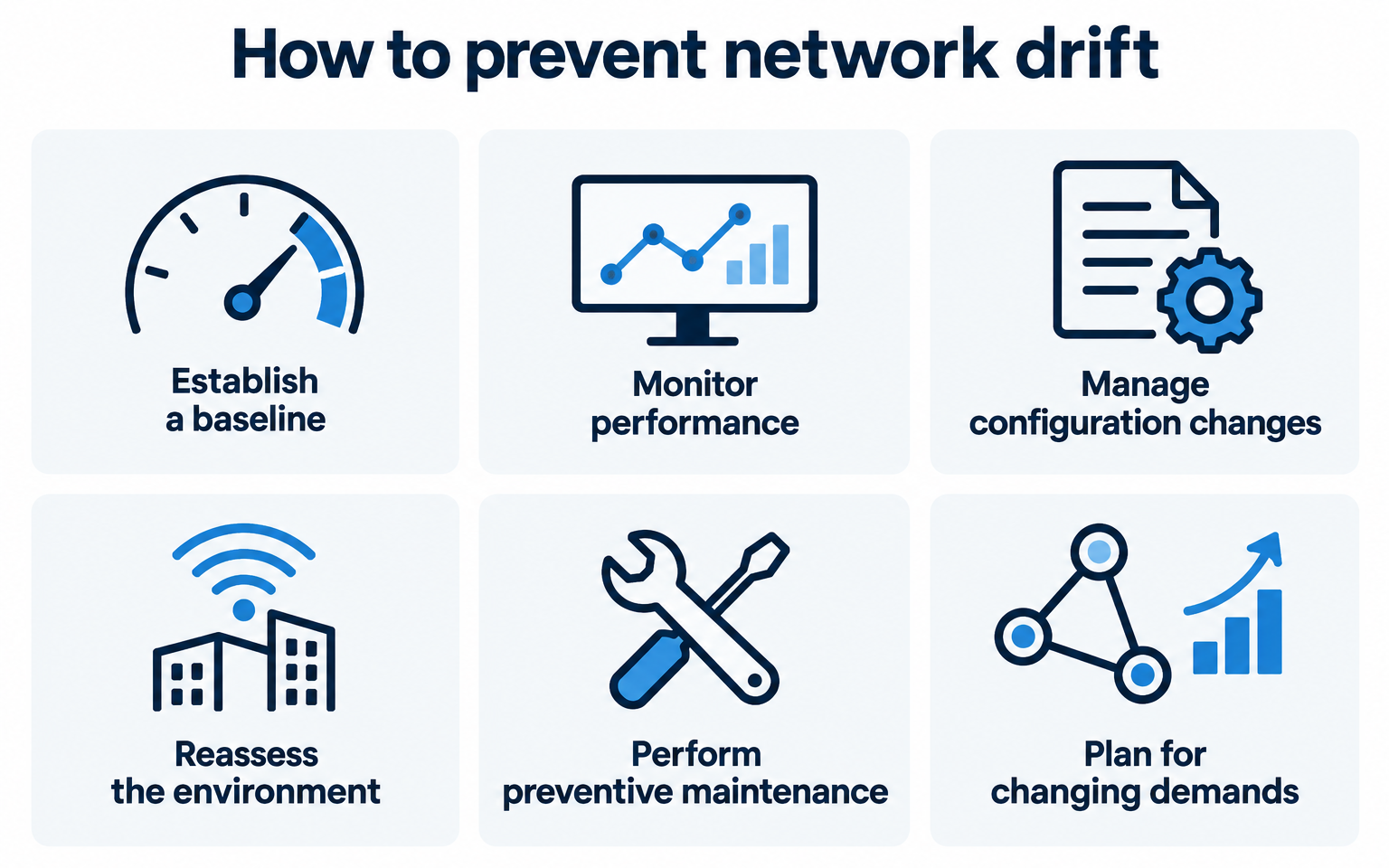
1. Establish a performance baseline.
Document what the network looks like when it is operating as intended. Depending on the network, that may include:
- Signal strength
- Coverage
- Throughput
- Latency
- Packet loss
- Bandwidth utilization
- Device configurations
- Other key metrics
Having a baseline gives your team a known healthy state to compare against when performance changes.
2. Continuously monitor network performance.
Network monitoring can reveal gradual changes that may otherwise go unnoticed. Tracking performance trends, device health, connectivity, traffic, and other metrics over time can help identify developing problems before users experience a major disruption.
3. Document and manage configuration changes.
Changes to switches, VLANs, access points, radios, firmware, security policies, and other network components should be documented. Maintaining accurate configuration records makes it easier to determine what changed, when it changed, and whether that change contributed to a performance issue.
4. Reassess the physical environment.
Wireless networks are affected by their surroundings. Equipment may be relocated, buildings may change, new machinery may introduce RF interference, and mobile network infrastructure may operate in different locations. Periodic assessments can help confirm that coverage and connectivity still meet operational requirements.
5. Perform preventive maintenance.
Inspect network infrastructure and supporting components regularly. Damaged antennas or cables, aging equipment, unreliable power sources, outdated firmware, and other seemingly minor issues can accumulate and contribute to declining performance.
6. Plan for changing network demands.
The number of connected devices and the amount of data traveling across a network rarely remain static. New cameras, applications, IoT devices, mobile equipment, and other technologies can increase demand. Periodically evaluating capacity helps ensure the network continues to support current and future operational needs.
Ultimately, preventing network drift comes down to knowing how your network should perform, monitoring how it is actually performing, and addressing the differences before they become larger problems.
How Rajant Kinetic Mesh helps mitigate network drift
While regular monitoring and maintenance are essential for managing network drift, the network itself can also be designed to better adapt to change. Rajant Kinetic Mesh® uses InstaMesh® networking software to create a self-forming, self-healing wireless network that can respond dynamically as network conditions change.
Key capabilities include:
- Self-healing connectivity: If a network path becomes unavailable or obstructed, InstaMesh can dynamically redirect traffic through another available path.
- Real-time path selection: The network continually evaluates connections and determines the best available path for data as conditions change.
- No single point of failure: Kinetic Mesh uses a distributed, peer-to-peer architecture rather than relying on a single controller node for routing decisions.
- Support for mobility: Fixed and mobile nodes can operate together, allowing the network to adapt as connected assets move.
- Adaptability to changing conditions: The network can respond when nodes are added or removed, wireless conditions change, or network assets are relocated.
These capabilities can help reduce the impact of certain changes associated with network drift, but they do not replace proactive network management. Regular monitoring, maintenance, and performance assessments are still important for keeping the network operating as intended.
What are Rajant Kinetic Mesh Networks? →
Keep your network performing at its best
Network needs change over time, but the right planning, monitoring, and technology can help keep those changes from becoming performance problems. Whether you’re evaluating an existing network, planning for greater capacity, or considering a Rajant Kinetic Mesh solution, BAYCOM can help you determine the right approach for your environment.
Contact BAYCOM to talk through your network needs and build a solution designed for reliable performance today and into the future.

.png?width=1096&height=779&name=rajant%20(1).png)