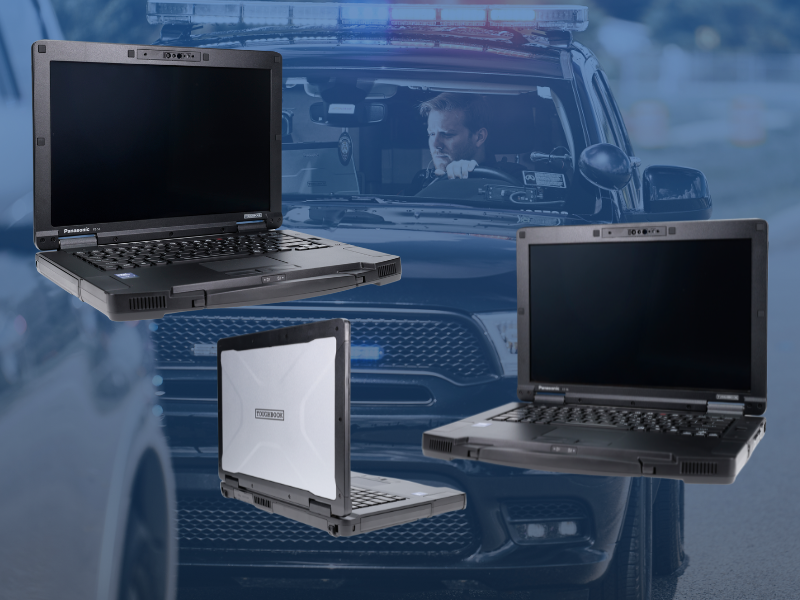
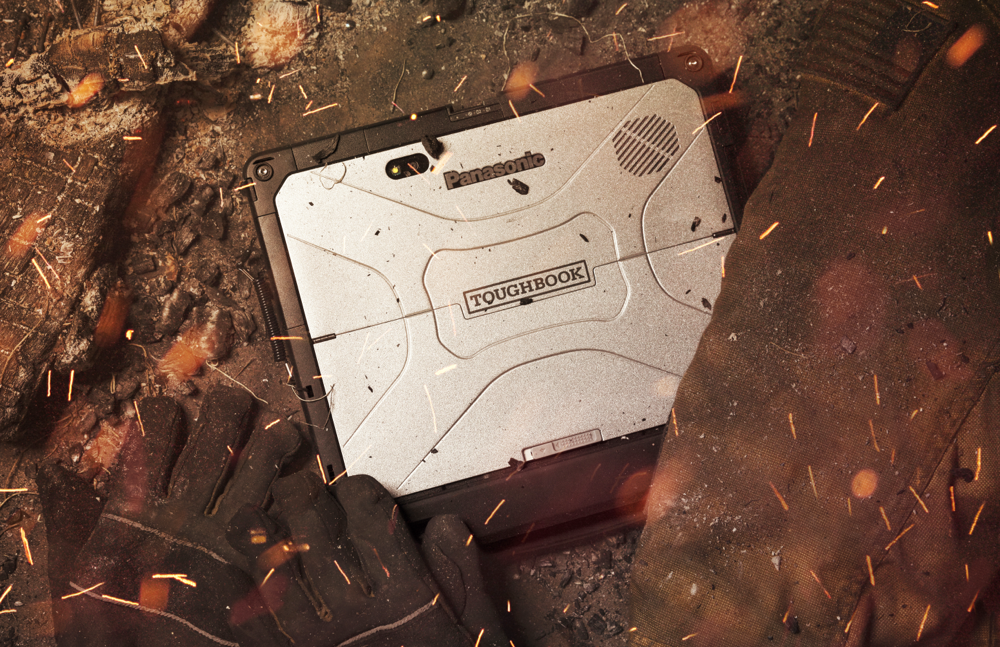
Public safety professionals rely on technology in environments where standard computers were never designed to operate. From a laptop mounted inside a patrol vehicle to a tablet carried to an emergency scene, these devices may encounter drops, vibration, extreme temperatures, rain, dust, and long shifts in the field.
Ruggedness might be the first thing that comes to mind, but there’s far more to consider besides whether a laptop can withstand the bumps and scrapes that come with the territory.
This article will share why mission-critical agencies need rugged laptops, and the 10 features to look for to ensure their technology can reliably support personnel wherever the job takes them.
ARTICLE AT A GLANCE:
- Why do public safety agencies need rugged computers?
- 10 features to look for:
- 1. The right level of ruggedness
- 2. Laptop, tablet, or 2-in-1 form factor
- 3. Outdoor display visibility
- 4. Reliable connectivity
- 5. Battery life for long shifts
- 6. Vehicle mounting and docking
- 7. Compatibility with public safety applications
- 8. Security and device management
- 9. Lifecycle, warranty, and support
- 10. The complete mobile computing environment
- How to choose the right rugged computer for your agency
- Build a rugged computing solution around your agency
Why do public safety agencies need rugged computers?
Police officers, firefighters, EMS professionals and other first responders depend on mobile computers to access critical information, complete reports, communicate with other personnel, and use specialized applications while working in the field.
Unlike standard consumer laptops and tablets, rugged computers are designed specifically for demanding environments. Depending on the device, they can provide increased resistance to drops, vibration, moisture, dust, and temperature extremes.
For public safety agencies, durability designed into the system can help reduce device failures and keep critical technology available when personnel need it most.
But ruggedness is only one part of the decision.
USE OUR FREE ONLINE TOOL: Find my TOUGHBOOK rugged computer
1. The right level of ruggedness
Not every public safety environment requires the same level of durability.
Rugged computers are commonly categorized at different levels of ruggedness. The right option depends on where and how personnel will use the device.
A computer that remains mounted inside a patrol vehicle may face different conditions than a tablet regularly carried outside at fire scenes, traffic incidents, or emergency response operations.
When evaluating ruggedness, agencies should consider:
- Drop resistance
- Vibration resistance
- Water and dust exposure
- Operating temperature range
- Frequency of outdoor use
- How frequently the device will be removed from a vehicle or docking station
Rather than automatically choosing the most rugged option available, agencies should match the device to their real-world operating environment.
LEARN MORE ABOUT: Rugged laptop solutions
2. Laptop, tablet, or 2-in-1 form factor
One of the biggest decisions is determining which form factor best supports personnel in the field.
Rugged laptops can be ideal for users who spend significant time working inside a vehicle and need a full keyboard for reporting, data entry, and other applications.
For example, the Panasonic TOUGHBOOK® 56 offers a traditional laptop form designed for demanding mobile environments. Features such as its ergonomic grip, up to 24 hours of runtime, and flexible design make it an option for public safety professionals who need a rugged computer for in-vehicle and mobile work.
Rugged tablets and 2-in-1 devices can provide greater mobility for personnel who need to take their technology directly into the field.
The Panasonic TOUGHBOOK® G2 is one example. Its modular design includes three expansion areas, providing flexibility for agencies with different workflows and technology requirements. It is also backward compatible with most previous-generation TOUGHBOOK G1 docks, which can be valuable for agencies planning a technology refresh.
Neither form is automatically better for public safety. Agencies should consider where employees complete most of their work, which applications they use, and how frequently they need to move between a vehicle and the field.
3. Outdoor display visibility
A screen that performs well inside an office may be difficult to see in direct sunlight.
For public safety professionals working outdoors, display brightness and visibility can have a major impact on usability. Officers responding to an incident, firefighters working outside, or EMS personnel accessing information at a scene need to be able to quickly view their screens in a variety of lighting conditions.
Agencies should evaluate features such as:
- Sunlight-readable displays
- Anti-reflective or anti-glare screens
- Touchscreen functionality
- Glove-compatible touch controls
- Screen size and resolution
Personnel should be able to access the information they need without fighting the device they're using.
4. Reliable connectivity
A rugged computer is only as useful as the information personnel can access through it.
Public safety agencies should consider how devices will remain connected when personnel move between stations, vehicles, and field environments. Depending on the agency's operations, connectivity requirements may include Wi-Fi, cellular broadband, Bluetooth®, GPS, and other wireless technologies.
Connectivity requirements should be evaluated based on how personnel actually work. An officer using a computer in a squad car may have different connectivity needs than a fire inspector carrying a tablet between locations or a command team operating at an incident scene.
Agencies should also consider coverage across their service area and how devices will connect to the applications and systems personnel rely on throughout a shift.
Reliable connectivity helps keep information accessible beyond the walls of the station or office.
5. Battery life for long shifts
Public safety doesn't operate on a typical eight-hour schedule.
Devices may need to remain operational through extended shifts, emergency incidents, severe weather events, or other situations where personnel cannot easily stop to recharge.
When comparing rugged computers, agencies should look beyond advertised battery life and consider how the device will actually be used.
Questions to ask include:
- Can the battery be replaced in the field?
- Are extended-life battery options available?
- How will the device charge inside a vehicle?
- How does heavy application or cellular use affect battery life?
- Can the device support personnel throughout a typical shift?
Battery performance is an area where various computer models and configurations can vary significantly. The TOUGHBOOK® 56, for example, offers up to 24 hours of runtime depending on configuration and use.
The right battery configuration can help keep personnel working without unnecessary interruptions.
6. Vehicle mounting and docking
For law enforcement and other public safety personnel who work from vehicles, the computer is only one part of the mobile technology environment.
Mounting and docking solutions should be considered during the device selection process rather than after a computer has already been purchased.
Agencies should evaluate whether a device integrates with existing:
- Vehicle equipment
- Docking stations
- Keyboards
- Antennas
- Power supplies
- Other peripherals
Compatibility can become particularly important during a fleet refresh. Selecting a new computer does not necessarily mean every component surrounding it should also be replaced.
For example, the TOUGHBOOK® G2 is backward compatible with most TOUGHBOOK G1 docks, potentially allowing agencies with compatible equipment to preserve portions of their existing technology investment.
Space is also important. Public safety vehicles can contain radios, cameras, controls, printers, and other equipment competing for limited room.
Planning the complete in-vehicle solution can improve usability while helping agencies avoid compatibility issues later.
7. Compatibility with public safety applications
Public safety agencies often depend on specialized software and systems that are critical to daily operations.
Before selecting a device, agencies should confirm that it can support their required applications, operating systems, peripherals, and workflows.
This may include:
- Computer-aided dispatch (CAD)
- Records management systems (RMS)
- Geographic information systems (GIS)
- Mapping applications
- Reporting software
- Evidence management systems
- Field inspection applications
- Other agency-specific programs
A device may have impressive specifications, but those specifications mean little if it cannot effectively support the applications personnel rely on every day.
Agencies should involve both end users and IT personnel during the evaluation process to understand how a device will perform within existing workflows.
8. Security and device management
Public safety computers may provide access to sensitive information, making device security an important must-have.
Agencies should evaluate available security capabilities along with how devices will fit into their broader IT environment.
Considerations may include:
- User authentication
- Encryption
- Device management
- Remote administration
- Operating system security
- Firmware and software updates
- Physical security features
Security capabilities can also vary by device and configuration. For example, the TOUGHBOOK® G2 offers biometric authentication options and a quick-release SSD, providing agencies with additional options when configuring devices around their security requirements.
IT teams should be involved early in the evaluation process to ensure a device aligns with agency security requirements and existing technology standards.
9. Lifecycle, warranty, and support
The initial purchase price is only one part of the total cost of a rugged computer.
Public safety agencies often keep devices in service for several years, making lifecycle planning and support important considerations when comparing options.
Agencies should ask:
- How long is the expected product lifecycle?
- What warranty coverage is available?
- How are repairs handled?
- Are replacement parts and accessories readily available?
- How long will software and driver support continue?
- What happens if a device fails while in service?
- What service agreements are available and what’s included?
A lower-cost device can become significantly more expensive if it requires frequent repairs, has a short lifecycle or creates downtime for personnel.
Agencies should consider the total cost of ownership rather than comparing devices based solely on their initial purchase price.
10. The complete mobile computing environment
Choosing a rugged computer shouldn't happen in isolation.
The device may need to work alongside mounting equipment, vehicle power, antennas, scanners, printers, keyboards, software, and other technology already being used by the agency.
For public safety vehicles in particular, agencies should consider how all of these components will work together before deploying new computers across a fleet.
Taking a complete-system approach can help agencies select technology that works together instead of addressing compatibility challenges after deployment.
BAYCOM helps organizations design integrated rugged computing solutions that can include professional docking stations, vehicle mounting systems, mobile connectivity, and thermal printers in addition to the computer itself.
How to choose the right rugged computer for your agency
There is no single rugged computer that is right for every public safety agency.
A patrol officer working primarily from a vehicle may have very different requirements than a fire inspector, EMS professional or command staff member working at an incident scene.
For example, an agency looking for a traditional laptop experience for in-vehicle and mobile work may consider a device such as the Panasonic TOUGHBOOK® 56.
An agency prioritizing portability and a tablet form factor may instead consider the Panasonic TOUGHBOOK® G2.
Before selecting a device, agencies should start by identifying:
- Who will use the computer?
- Where will they use it?
- Which applications need to run on it?
- How will it connect in the field?
- Does it need to be mounted in a vehicle?
- Which environmental conditions will it encounter?
- What existing equipment needs to remain compatible?
- How long does the agency expect to keep it in service?
Answering these questions first makes it easier to evaluate devices based on operational needs rather than specifications alone.
Related Article: Rugged Device Comparison
Build a rugged computing solution around your agency
The right rugged computing solution should help public safety professionals access information and complete their work wherever their responsibilities take them.
As a Panasonic TOUGHBOOK® Advantage Diamond Authorized Mobility Partner, BAYCOM works with public safety agencies to evaluate rugged computers and the supporting technology that goes with them, from device selection and vehicle integration to accessories and ongoing support.
Explore BAYCOM's rugged computers, laptops, tablets and handhelds to compare available options and determine which type of device may be the best fit for your personnel.
Instead of starting with a specific computer, start with how your personnel work. BAYCOM can help evaluate your agency's environment, applications, existing technology, and long-term needs to build a rugged computing solution around your operations.
Ready to evaluate rugged computing options for your agency? Talk to a BAYCOM rugged computing expert.
FAQ: Frequently asked questions about rugged computers for public safety
What is a rugged computer?
A rugged computer is a laptop, tablet, or other mobile device designed to operate in environments where traditional consumer computers may be more susceptible to damage. Depending on the model, rugged computers can provide increased resistance to drops, vibration, dust, moisture, and extreme temperatures.
What should public safety agencies look for in a rugged computer?
Public safety agencies should consider ruggedness, form factor, display visibility, connectivity, battery life, security, application compatibility, vehicle mounting and docking, lifecycle, and support. The right device should be selected based on how and where personnel will actually use it.
What is the difference between semi-rugged and fully rugged computers?
Semi-rugged computers provide additional durability compared with traditional commercial devices and can be well suited for less extreme mobile environments. Fully rugged computers are designed for more demanding conditions and typically provide greater protection against drops, water, dust, vibration, and temperature extremes. The appropriate level depends on the agency's operating environment.
Are rugged laptops worth the cost for police departments?
They can be when computers are regularly exposed to the demands of public safety operations. Agencies should compare total cost of ownership rather than purchase price alone, considering durability, expected lifecycle, repair costs, downtime, warranty coverage, and compatibility with existing vehicle equipment.
Is a rugged laptop or rugged tablet better for public safety?
It depends on the user's workflow. Rugged laptops can be a strong choice for personnel who perform significant data entry or reporting from a vehicle, while rugged tablets provide greater mobility for personnel who need to carry their device into the field. Agencies should select the form factor based on how personnel actually work.
What should police departments look for in a rugged laptop?
Police departments should consider durability, outdoor display visibility, connectivity, battery life, security, compatibility with public safety applications, vehicle mounting and docking options, available ports and accessories, lifecycle, and manufacturer support. The computer should be evaluated as part of the complete in-vehicle technology environment rather than as a standalone device.
Can rugged computers run CAD and RMS software?
Many rugged computers use the same operating systems and support the same applications as traditional business computers. Agencies should confirm compatibility with their specific CAD, RMS, GIS, evidence management, reporting, and other public safety applications before selecting a device.
Can rugged computers be mounted in police cars and emergency vehicles?
Yes. Rugged computers can be integrated with professional mounting and docking systems designed for police squads, fire apparatus, ambulances, and other public safety vehicles. Agencies should consider docking and mounting compatibility during device selection to ensure the entire in-vehicle solution works together.
How long do rugged computers last?
The useful life of a rugged computer depends on the device, environment, usage, and agency requirements. Agencies should evaluate expected hardware lifecycle, warranty coverage, repairability, software support, and future application requirements when determining how long a device should remain in service.